
Monitor. Investigate. Act.
Open-source fleet operations: observe and control your baremetal servers, VMs, and containers from one place — and talk to your fleet through AI chat.
Monitor. Investigate. Act.
Open-source fleet operations: observe and control your baremetal servers, VMs, and containers from one place — and talk to your fleet through AI chat.
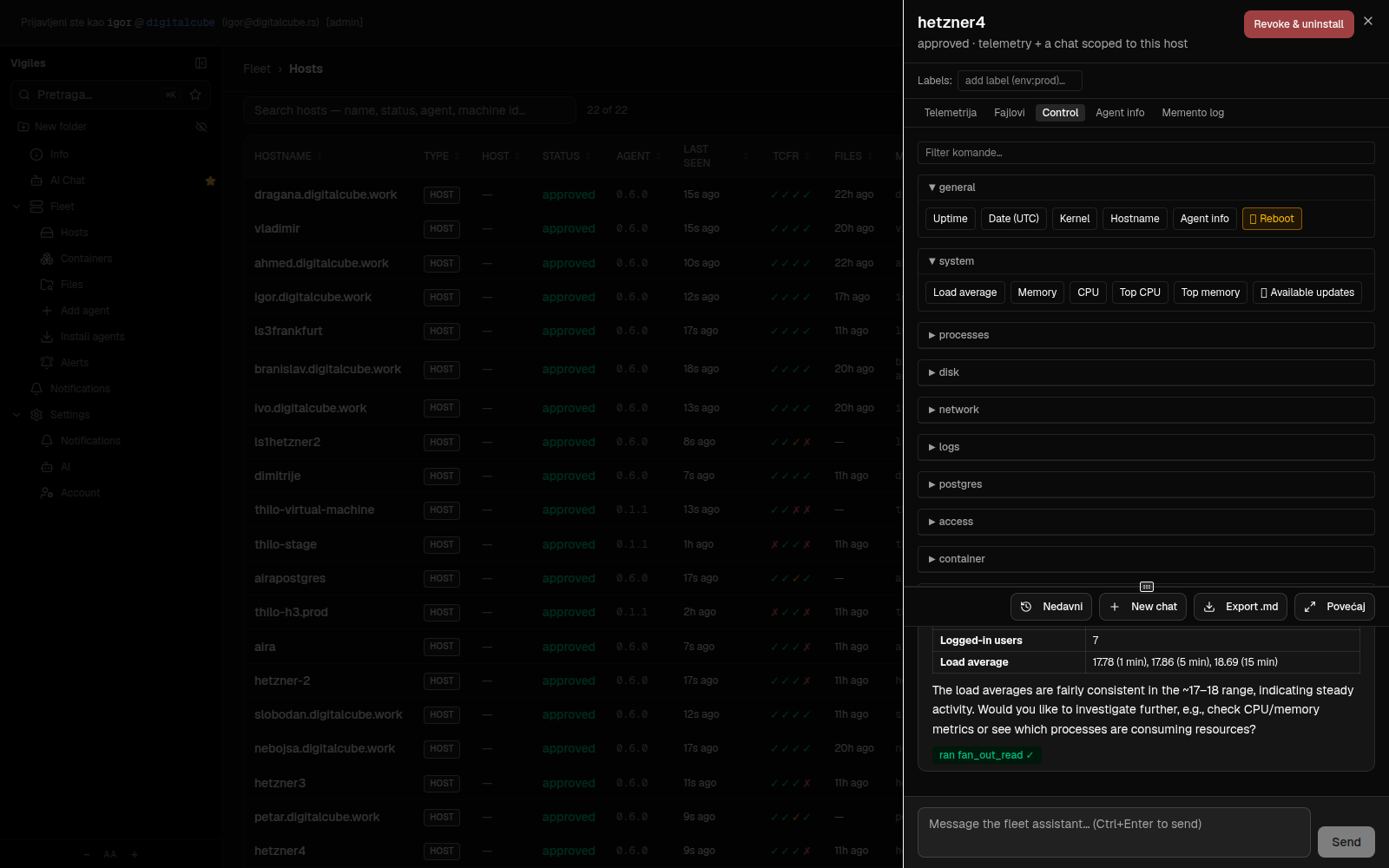
One platform that both watches and acts. Monitoring shows you what's happening; the control plane lets you do something about it — through a gated command catalog, with an AI chat grounded in live telemetry as the primary interface. Named after the Roman night watch that did both.
Mixed fleets — a few baremetal boxes, VMs on top, containers on top of those — without stitching together one tool for graphs, another for inventory, and SSH for everything else.
Many clients, one platform: every client is a tenant with its own fleet, users, and AI account, strictly isolated from the others.
"Which host is running out of disk?" beats building another dashboard. Questions first, dashboards second.
Every node, live status, automatic host↔guest topology.
Build your own control room: pick the panels, arrange them, keep several dashboards and switch between them. Yours, per user — the one you leave open is what greets you at sign-in.
CPU, memory, disk, network per host and container.
Questions answered from live telemetry, inventory, topology.
Gated command catalog, only where an approved control agent runs.
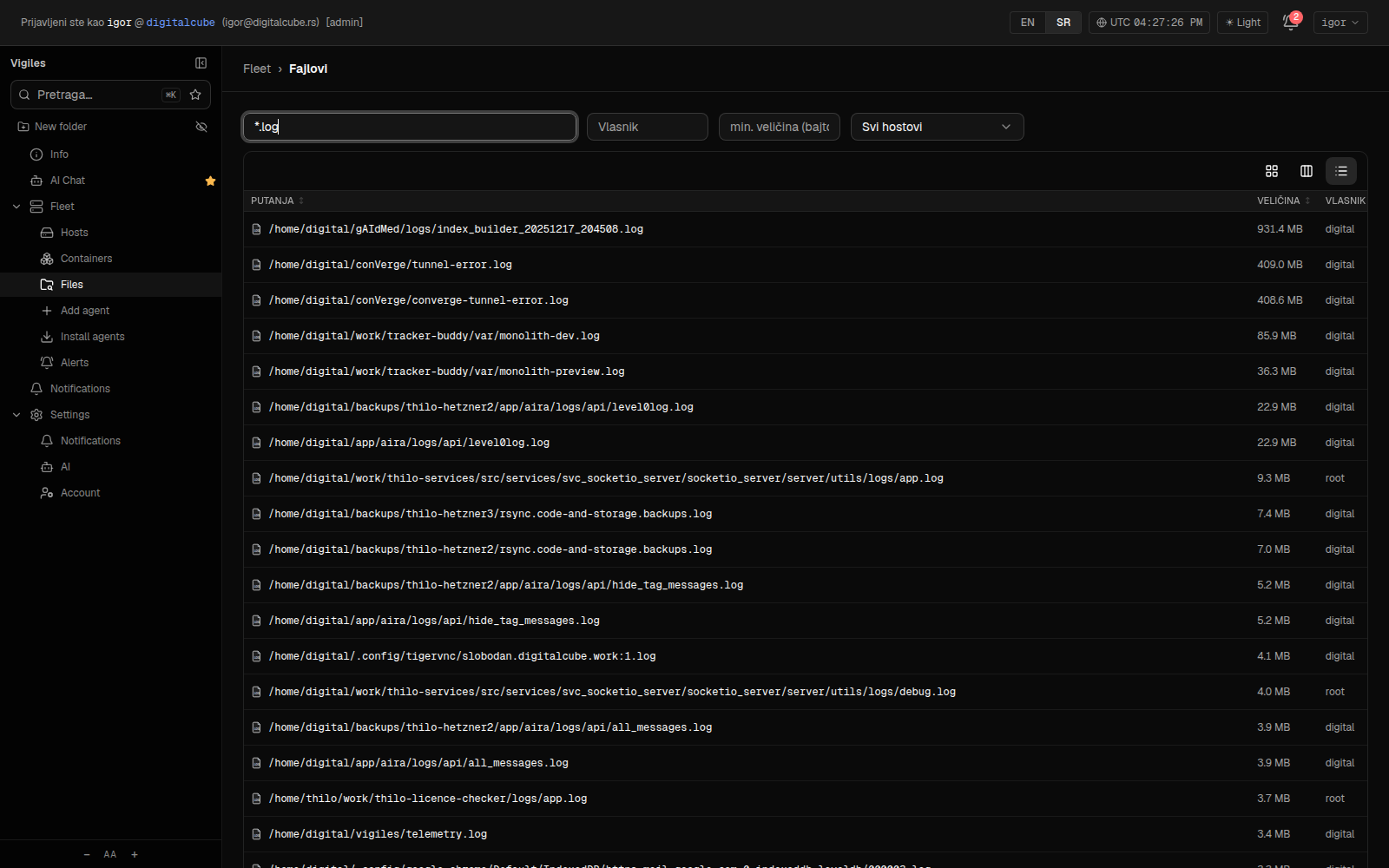
Search any file across every host in seconds.
Token → pending → approve; telemetry first, control on trust.
What each tenant costs in storage — file index, event log, file store — plus fleet counts, snapshotted with history. A system report covers the whole deployment.
Agents render thumbnails for millions of images in place and stream only the thumbnails — browse a NAS full of photos without pulling a single original.
Publish a signed release; agents pull it, verify the signature, and swap themselves across the fleet — no SSH, no orchestration.
A real tail -f on any log — or any container — on any host, streamed
to the browser. Mix several sources into one pane, files and containers across
servers, each in its own color with a legend; filterable, one click to save a
capture. No SSH.
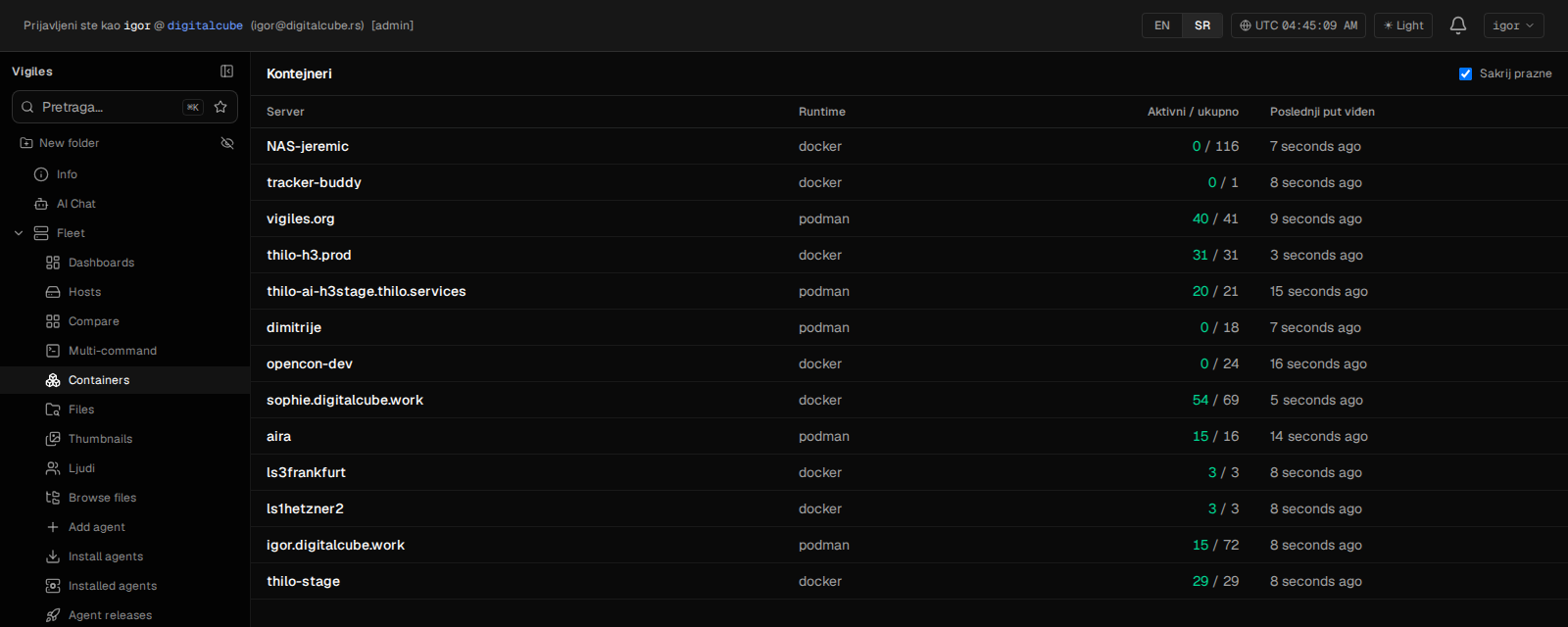
Every docker/podman container in the fleet: running counts per server, CPU and memory per container, live logs, restart/stop/start from the browser. The host agent reads cgroups and the runtime socket — nothing gets installed inside containers.
Threshold rules per host, per label group, or fleet-wide — with severity levels; critical alerts are built to ring through Do Not Disturb.
Tag servers freely — prod, nas, role:db — then filter, search, and scope alert rules by label. A group of servers is one chip away.
Admins and users per tenant — and per-user host hiding: a hidden server vanishes from lists, file search, thumbnails, even the AI's answers. Your private NAS in a shared fleet stays yours.
Link a phone by scanning a QR — no password on the device. The fleet, charts, AI chat, live log tail, and photo browsing in your pocket, with the same per-user permissions as the web. It updates itself over the air from your own release channel — no app store round-trip for a fix.
The same platform, pointed at other kinds of fleet. A tenant is set to a mode — servers, photo library, GPS tracking — and the navigation follows: you get the surfaces that mode needs and nothing else. Everything below runs on the machinery already described: the same agents, the same tenancy, the same permissions.
Point it at a NAS and it becomes a photo library: agents render thumbnails in place, EXIF and GPS pin every shot to a map, and local vision models tag what is actually in the picture. Search "sailboat" and get sailboats — no cloud service ever sees a photo.
Faces are detected, embedded and clustered into people — name a cluster once and every photo of them lines up behind it. Merge, split and group people; hide the ones you do not want to see. Also on the phone.
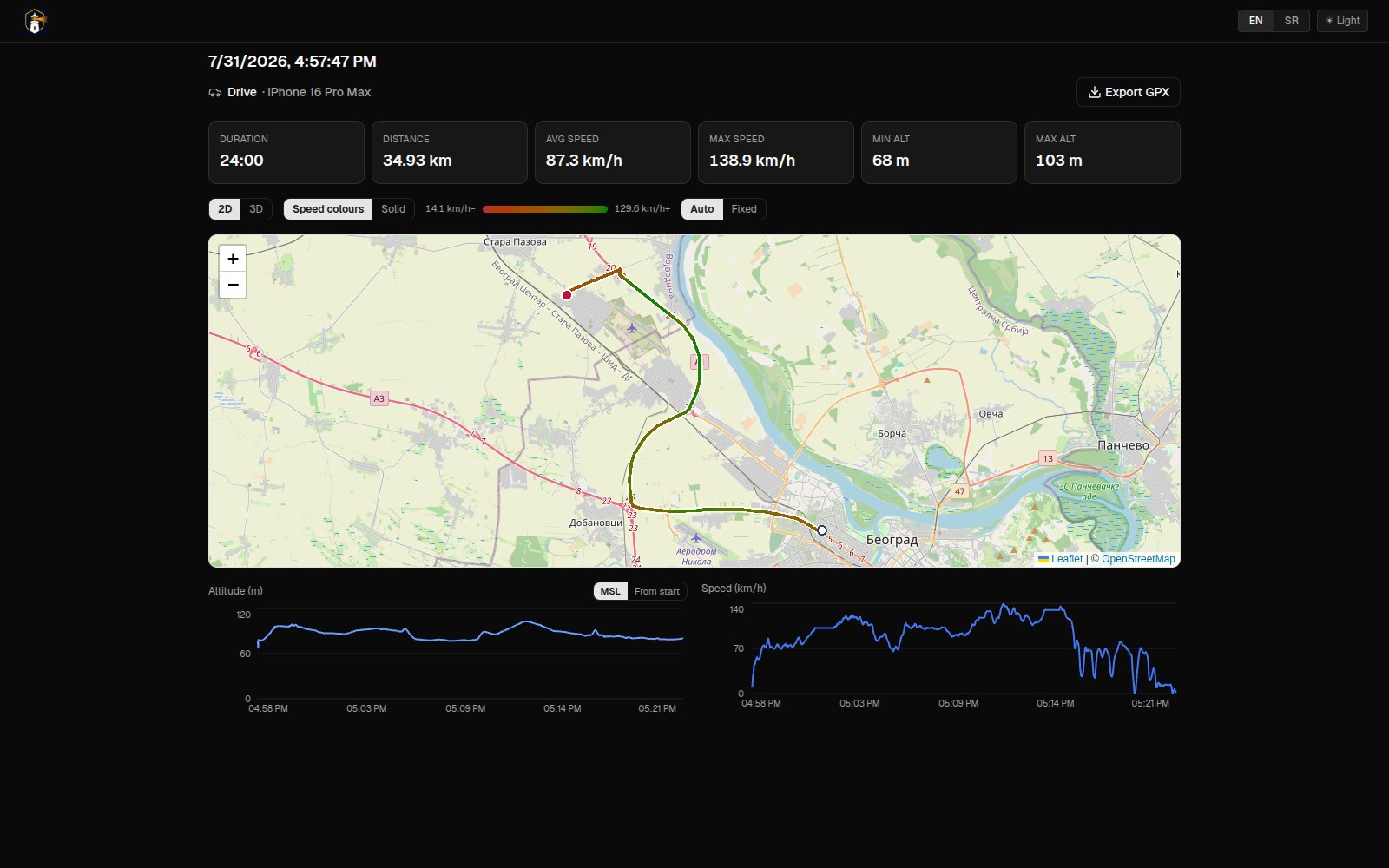
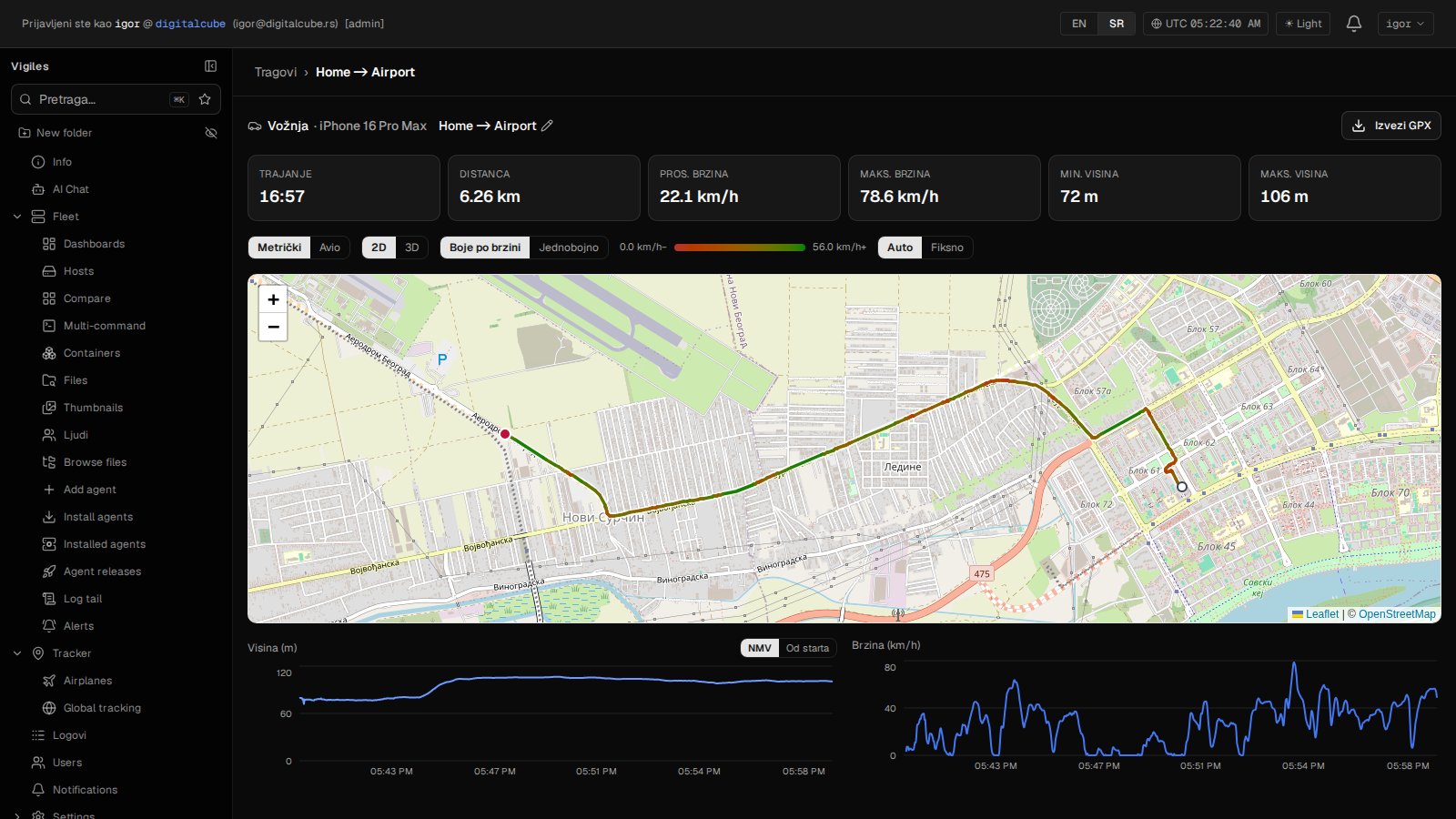
Record a walk, a drive or a flight from the phone — offline-first, so a tunnel or a dead zone costs nothing but a gap in the spool. Watch it live on the web while it is happening: trace coloured by speed, altitude and speed charts, distance and duration as they grow. The phone shows a proper cockpit — satellites in view, dead reckoning across the gaps, and recording that stops itself when you forget.
Eleven disciplines in four groups — on foot, on wheels, in the air, on water. Each brings its own gauges, units, auto-stop thresholds and analysis rules: a walk is not scored like a flight, and a flight records who flew it, not just which account filed it.
A finished track analyses itself: moving time against pauses, average speed while actually moving, ascent and descent, kilometre splits — touch-and-gos and time airborne for flights. One click to a PDF, the same report on the shared page, and the AI chat reads it too.
GPX, FIT and TCX import: years of Garmin or Strava archives land in the same logbook as everything recorded since — steps and swims included.
One link hands anyone the live map — no account, no app, nothing to install. Paste it in a chat and it unfurls into a card with the map on it. Revoke it and the link is dead. It is the same page the owner sees, minus everything that identifies them — and it embeds, with its own language, units and logo.
Any track replays in 3D over real terrain — orbit it, chase it, or sit in the cockpit and watch the horizon bank into the turns. Attitude is reconstructed from the track itself, so nothing extra has to be recorded. A flight in progress can be followed live, in 3D, from the share link.
Aircraft as first-class objects, and a flightradar-style live map of the ones in the air. A tablet in the cockpit authenticates with a device API key and posts fixes into the same endpoints the phone uses — one contract, no separate integration surface.
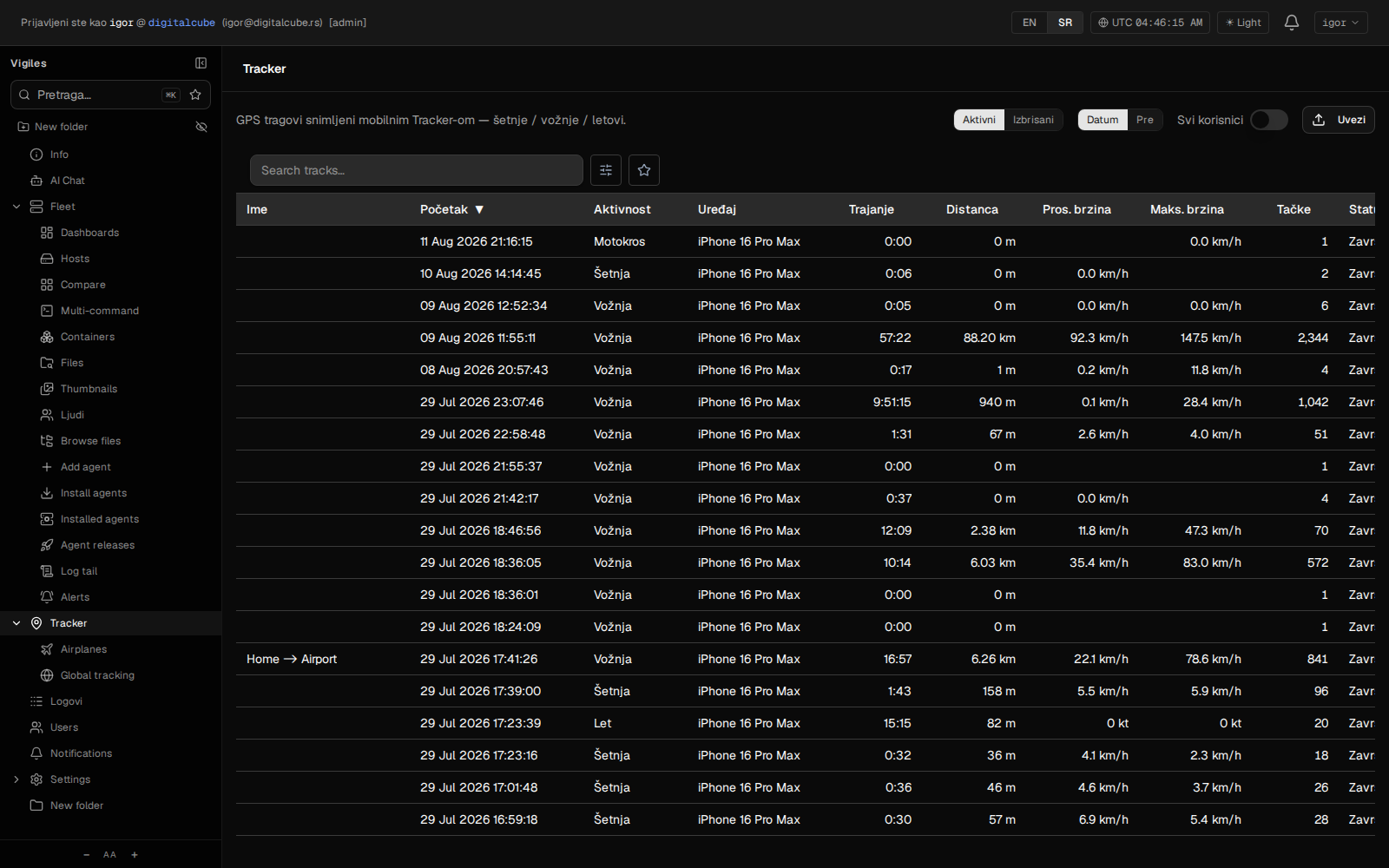
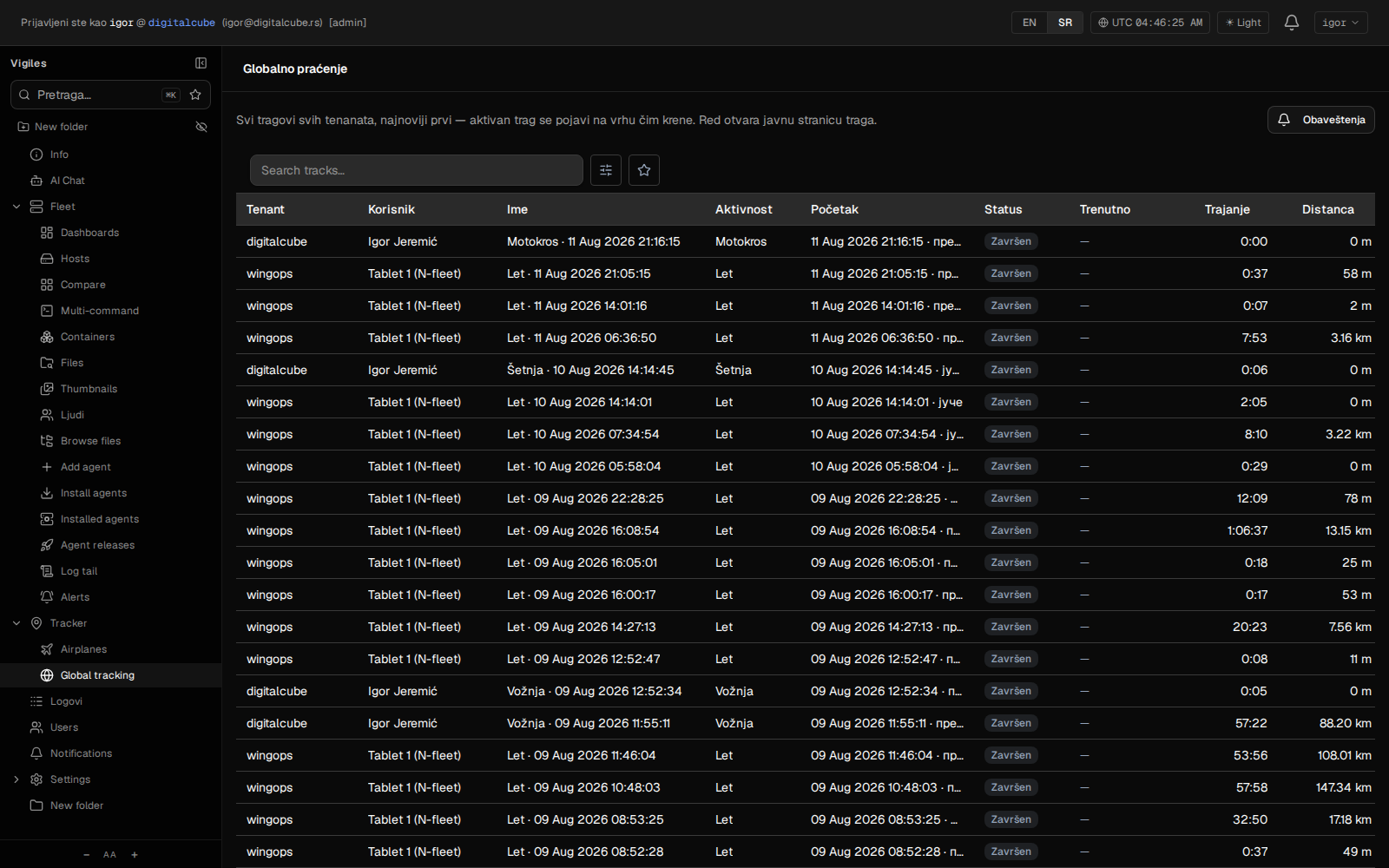
Every track of every tenant in one table, newest first, a live one appearing at the top the moment it starts — with notifications when a track begins, ends, or stops sending fixes.
Not mockups — real numbers from the 32-host fleet Vigiles runs itself on, read off it while this page was written.
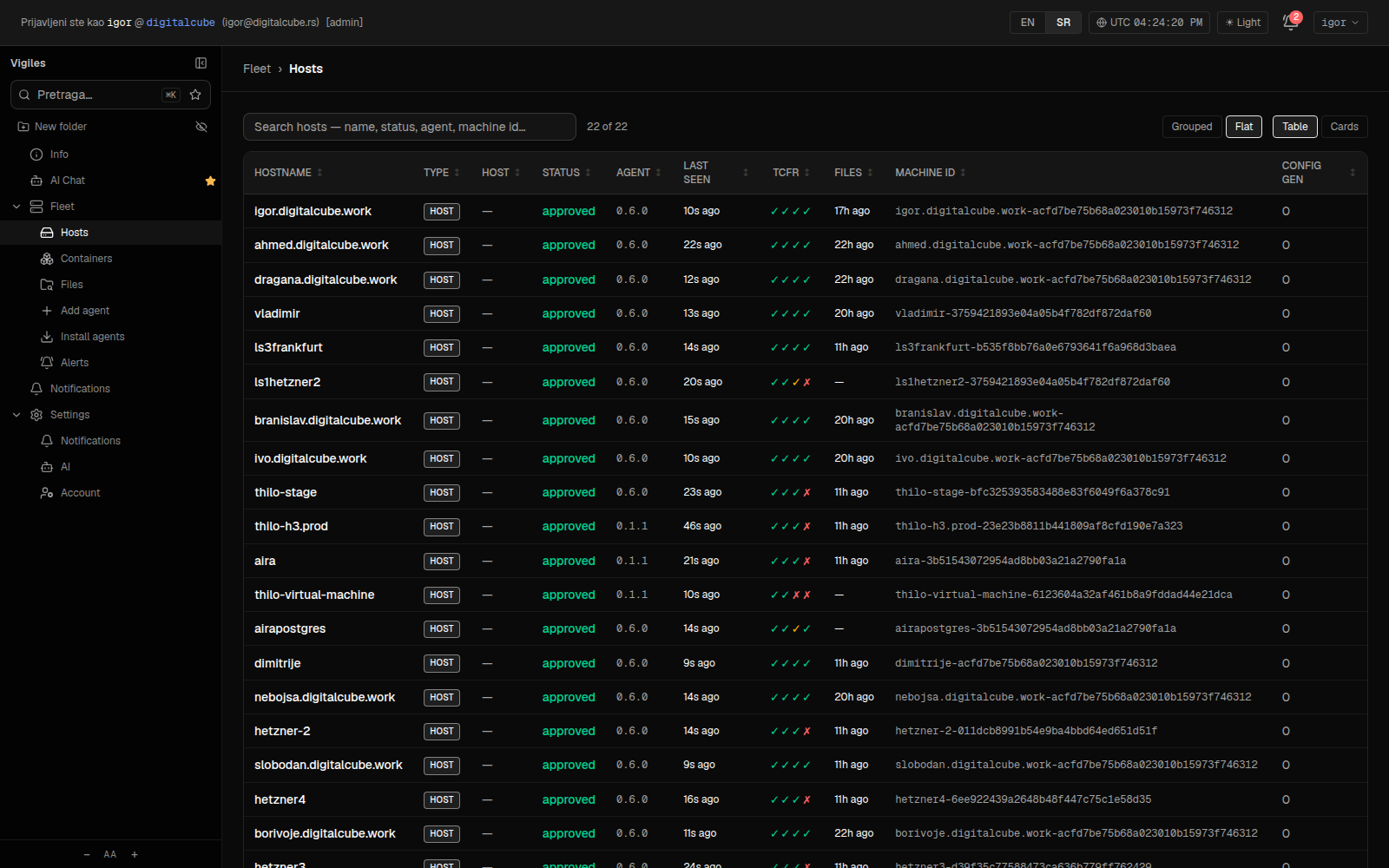
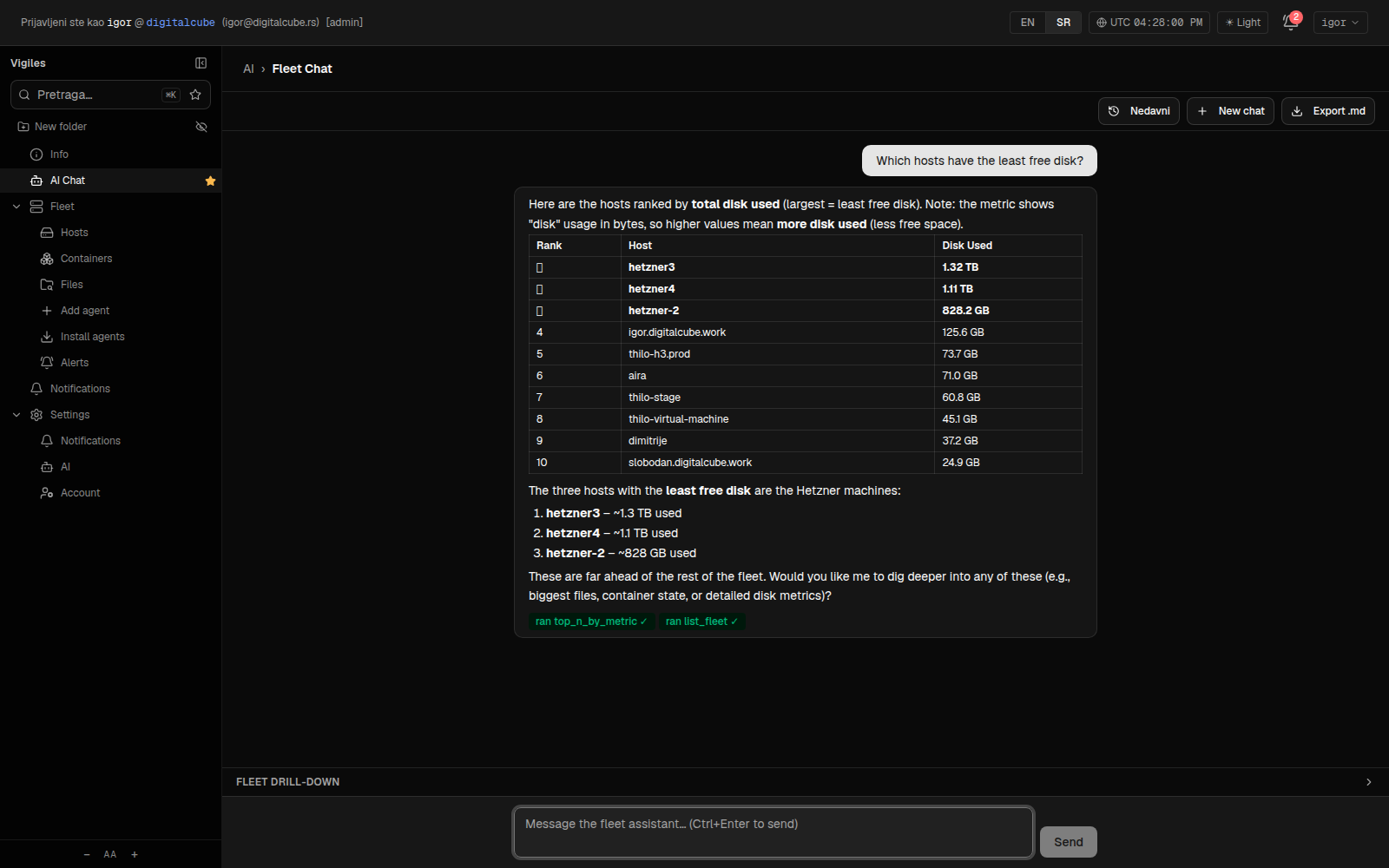
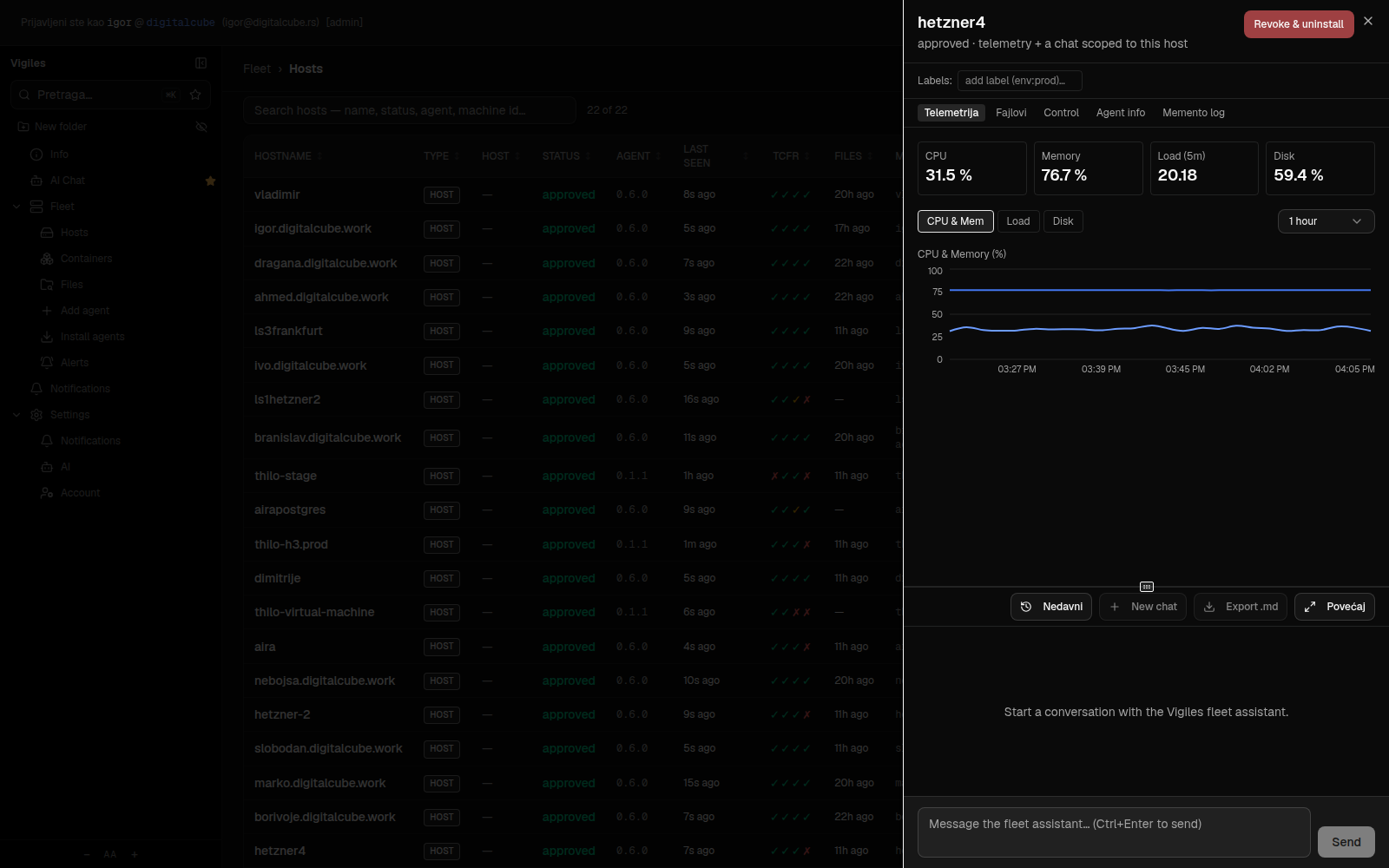
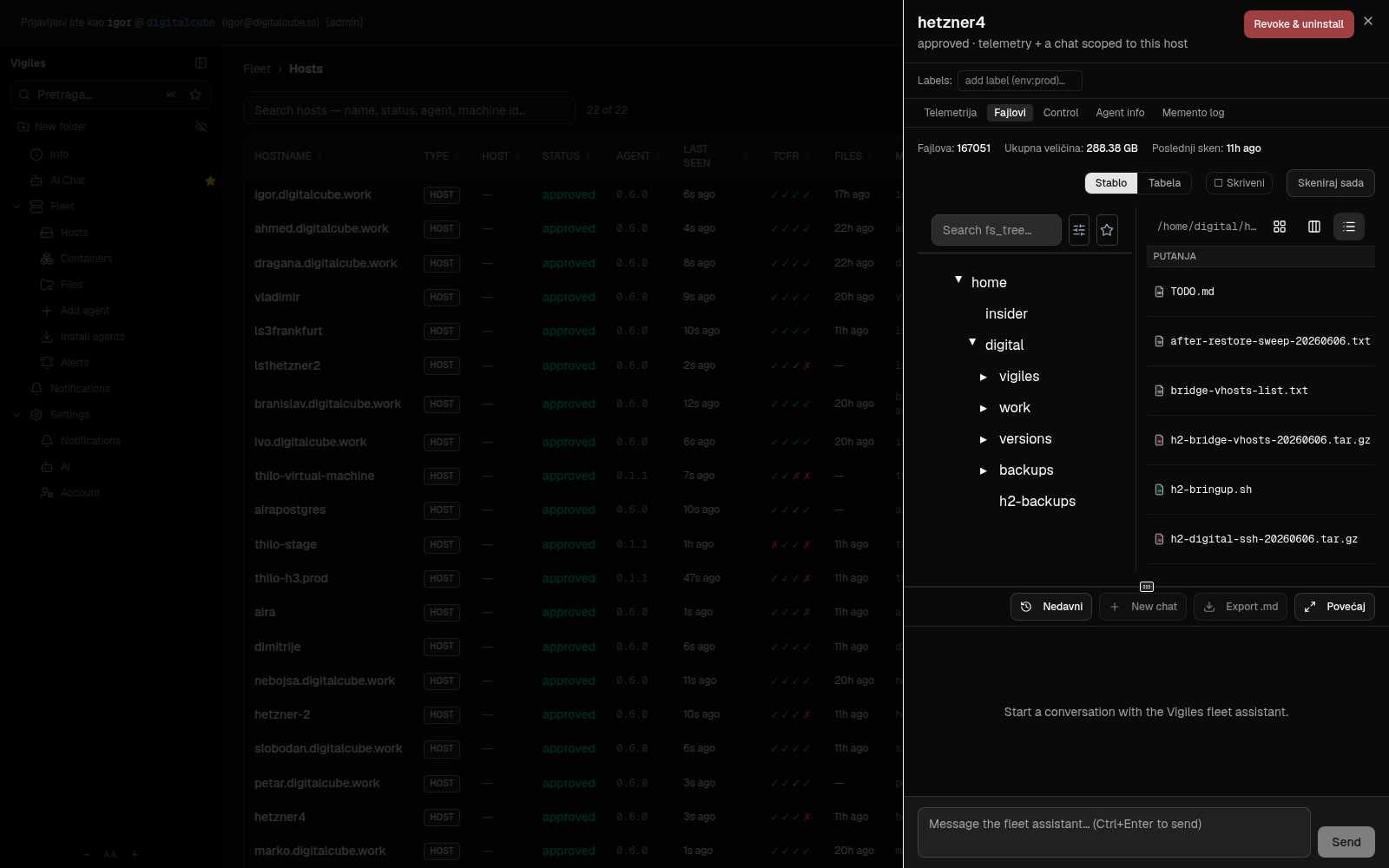
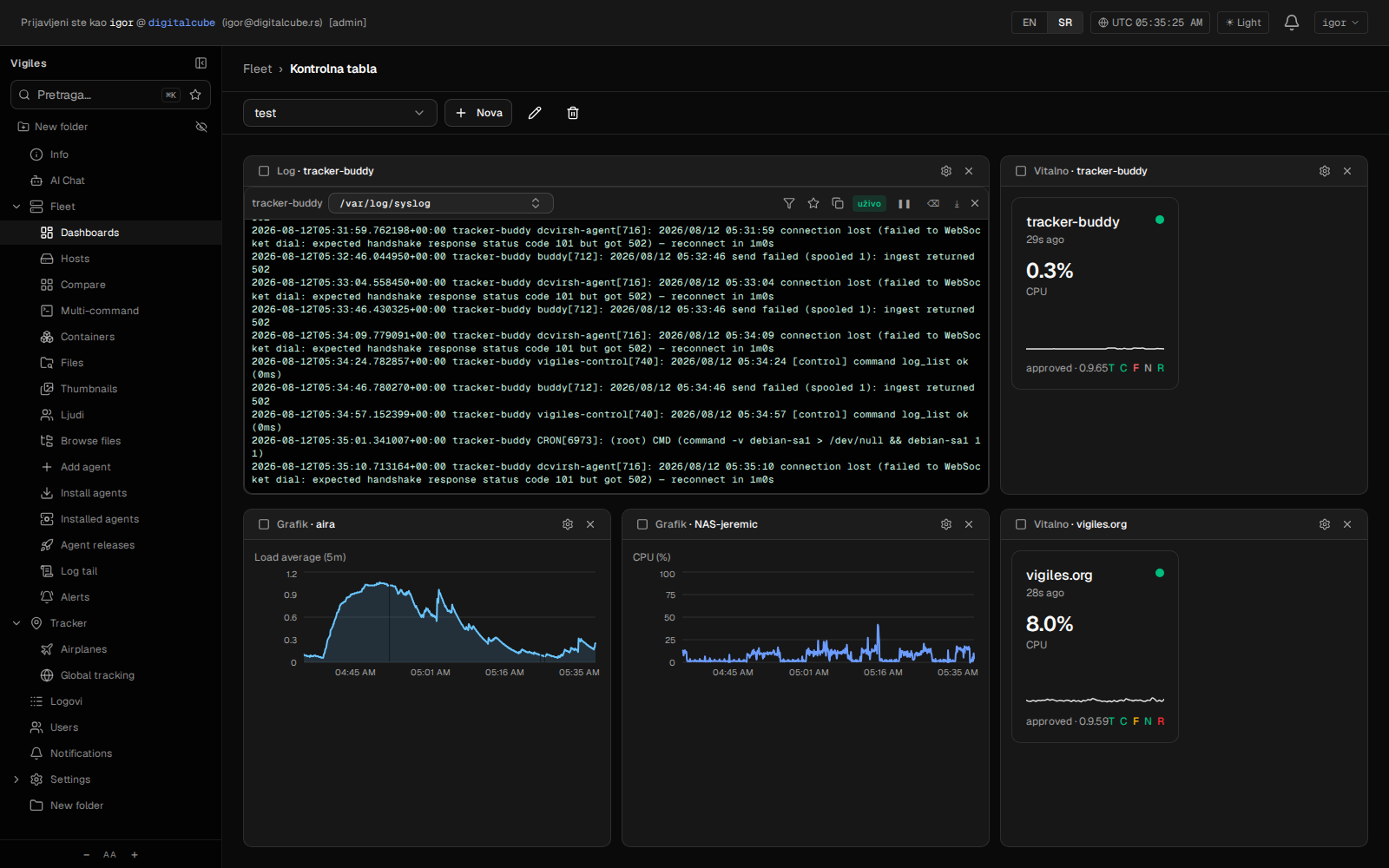
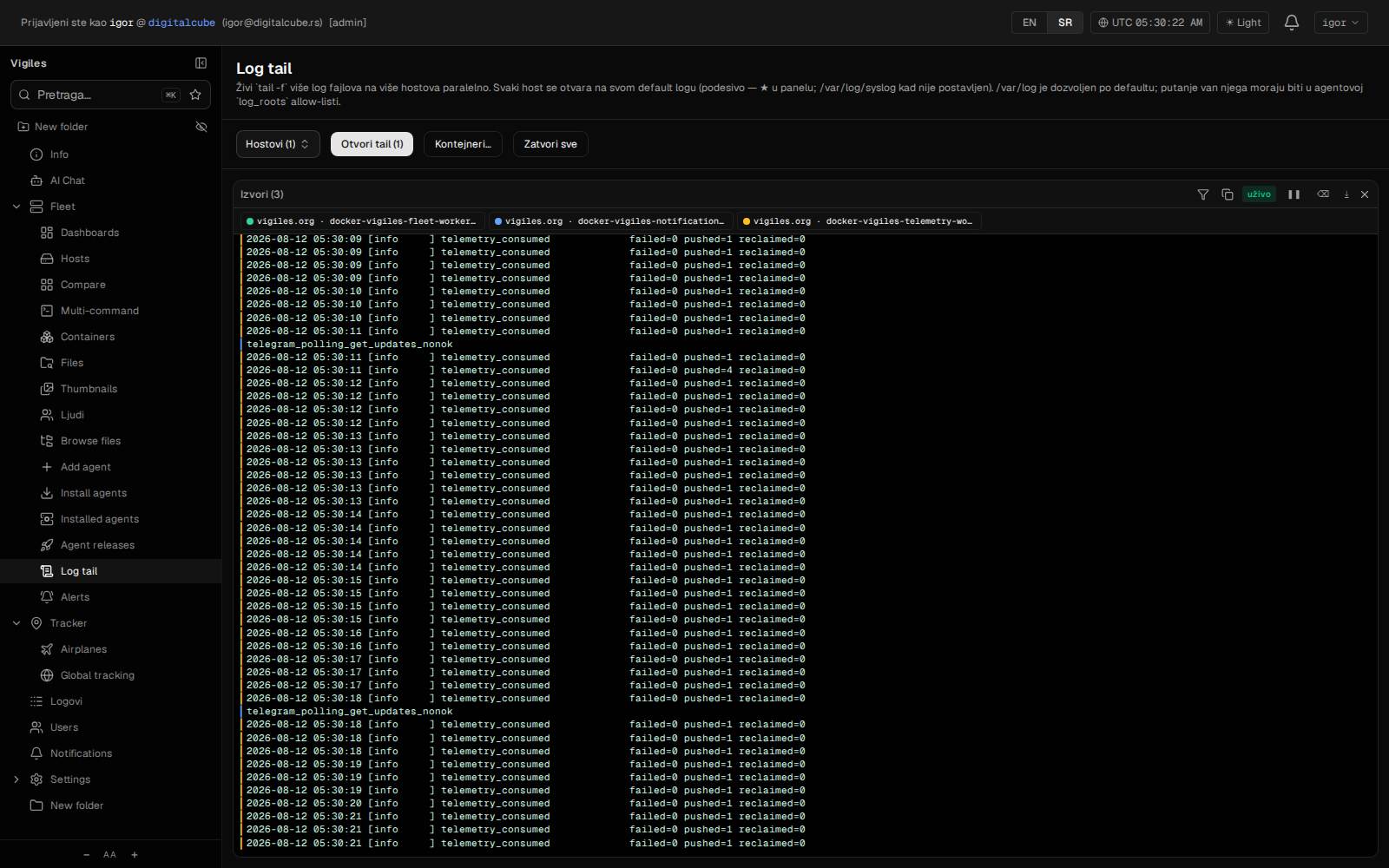
tail -f in the browser — several sources in one pane, each in its own colour.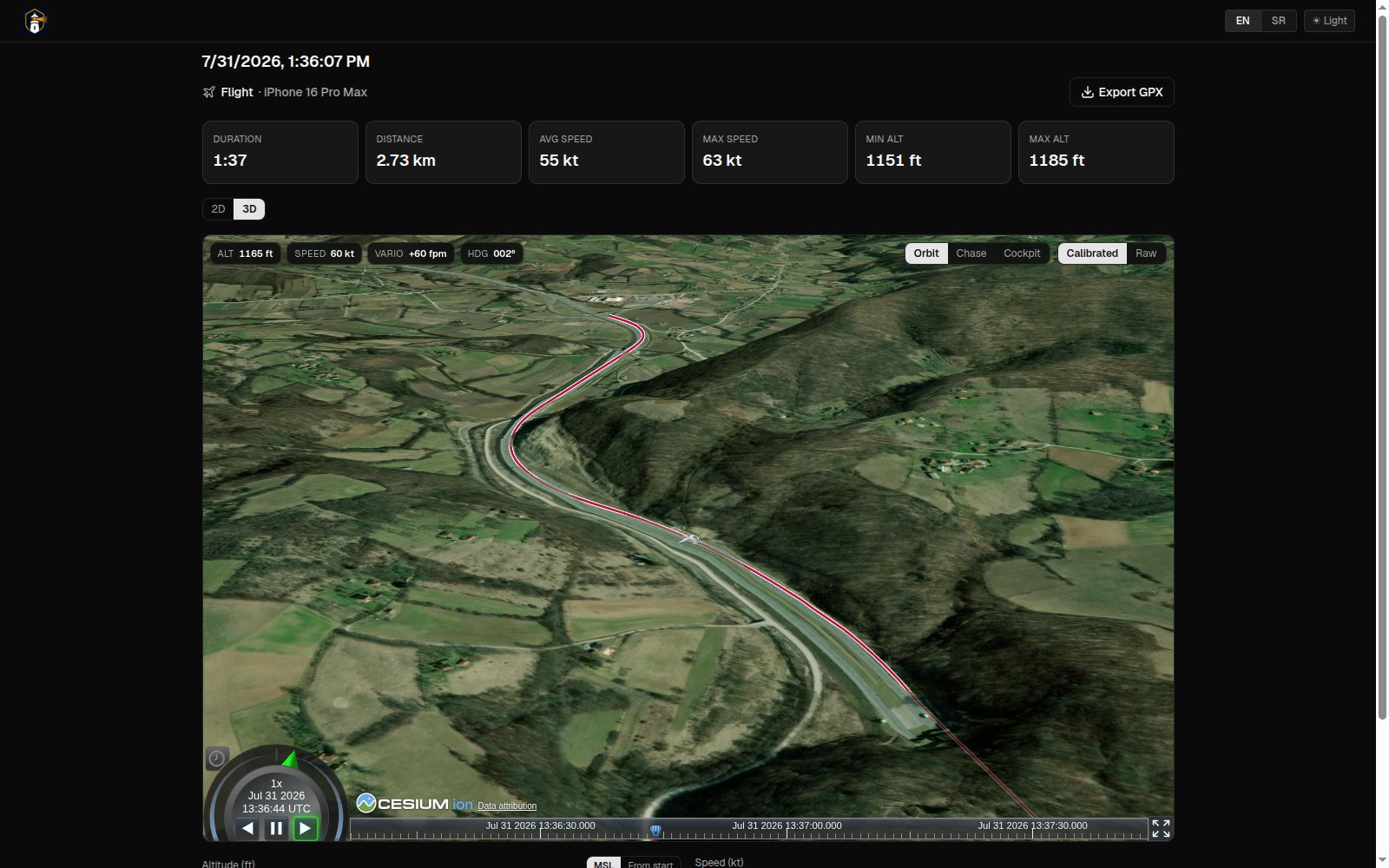
Two static Go agents per host — telemetry (metrics, FS inventory, in-place thumbnails) and control (gated commands, installed only where allowed), both signed and self-upgrading. FastAPI services behind one mount, PostgreSQL per service, Redis Streams ingest, OpenSearch file index. Multitenant by construction.
Apache-2.0, built in the open. Both planned phases are delivered: enrollment, telemetry, fleet topology, AI chat, file-system inventory — then gated action commands, long-running jobs, self-upgrading agents, in-place thumbnails and per-tenant cost reporting. What came after was not on the plan: dashboards, a photo library that understands its photos, GPS tracking with live share links and a 3D flight view, an aircraft fleet with an external device API — and then a tracker that covers eleven disciplines, analyses a finished track into a report you can hand out as a PDF, and imports the GPX, FIT and TCX archives you already had. If you run a fleet — of servers or of anything else — and want to watch it and act on it from one place, or want to help build that: welcome.